For multi-branch restaurants

Know where every dirham of food cost went

Krushnay ERP puts a price, an approval and a signature behind every purchase, transfer and stock count across your kitchens โ€” so the gap between what you bought and what you sold stops being a mystery.

Built for restaurant and hotel groups in the UAE and India ยท No card required

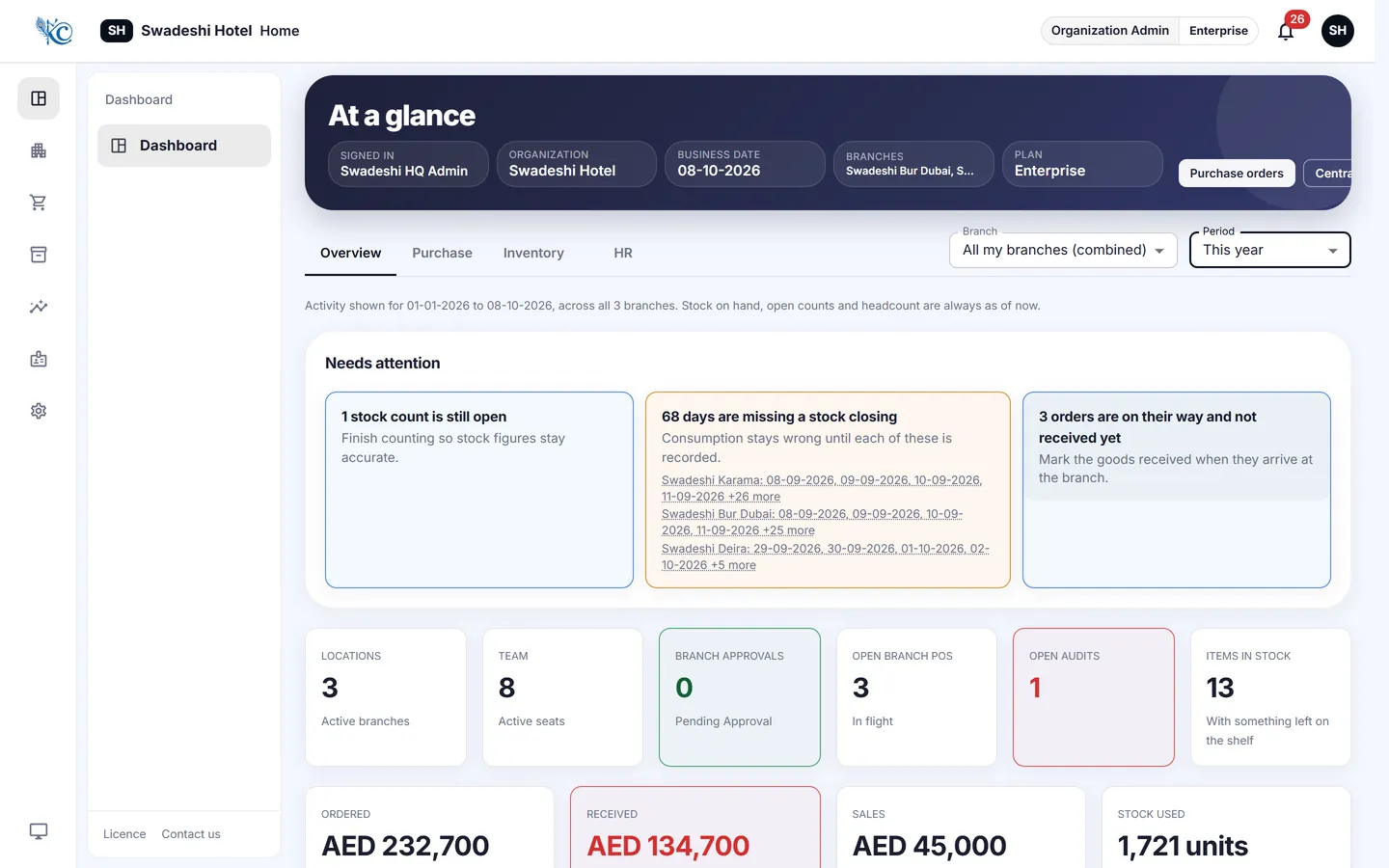
Krushnay ERP dashboard showing purchase order status, pending approvals and daily closing across branches

The problem

Losses in a kitchen are rarely dramatic. They are quiet.

A rate that crept up. A delivery signed for short. A transfer between branches that nobody recorded. None of it looks like theft on the day it happens, and by month end it is a single number on a report that no one can explain.

Prices move without anyone deciding

A vendor raises a rate quietly and it is paid for months. Rates here are held per item, per vendor and per branch, and an order compares them before it is placed.

Deliveries are short, and nobody notices

Receiving is checked line by line against the approved order, with a signature and a photograph captured on the phone at the door.

Stock moves between branches untracked

Branch-to-branch requests are raised, approved and signed for at both ends, so a shortfall belongs to a branch and a person rather than to nobody โ€” and every count runs against the balance the system expected, so a variance is a figure rather than a suspicion.

Where we are

In pilot, and honest about it

Krushnay ERP is running in live kitchens today. We are early, we say so, and the people we work with get our direct number rather than a support queue.

Swades Vegetarian Restaurant

Running the full cycle in the UAE โ€” purchasing, approvals, branch transfers and daily closing.

Taking on a small number of pilots

We onboard each one ourselves, with your catalogue and your vendor rates, before anybody is asked to use it.

Nothing to lose by looking

No card, no contract to start. If the first branch does not pay for itself, tell us and we will stop.

How it works

One record, from the request to the receipt

Nothing here asks your team to work differently. It asks them to record what they already do, once, in the place where the next person will look for it.

  1. A branch raises what it needs. From a phone in the store room, off a catalogue with your own units and categories.
  2. Rates are compared automatically. The order is priced against every vendor who quotes that item for that branch โ€” no item without a price can be ordered.
  3. The right person approves. Approval levels follow your structure, and an order cannot skip one.
  4. The vendor gets a purchase order. As a PDF, on WhatsApp or by email, with your logo and trade licence on it.
  5. The delivery is checked in. Line by line, signed and photographed at the door โ€” short deliveries are caught while the driver is still there.
  6. Stock and cost update themselves. Balances, ledger and daily closing all move from the same entry.
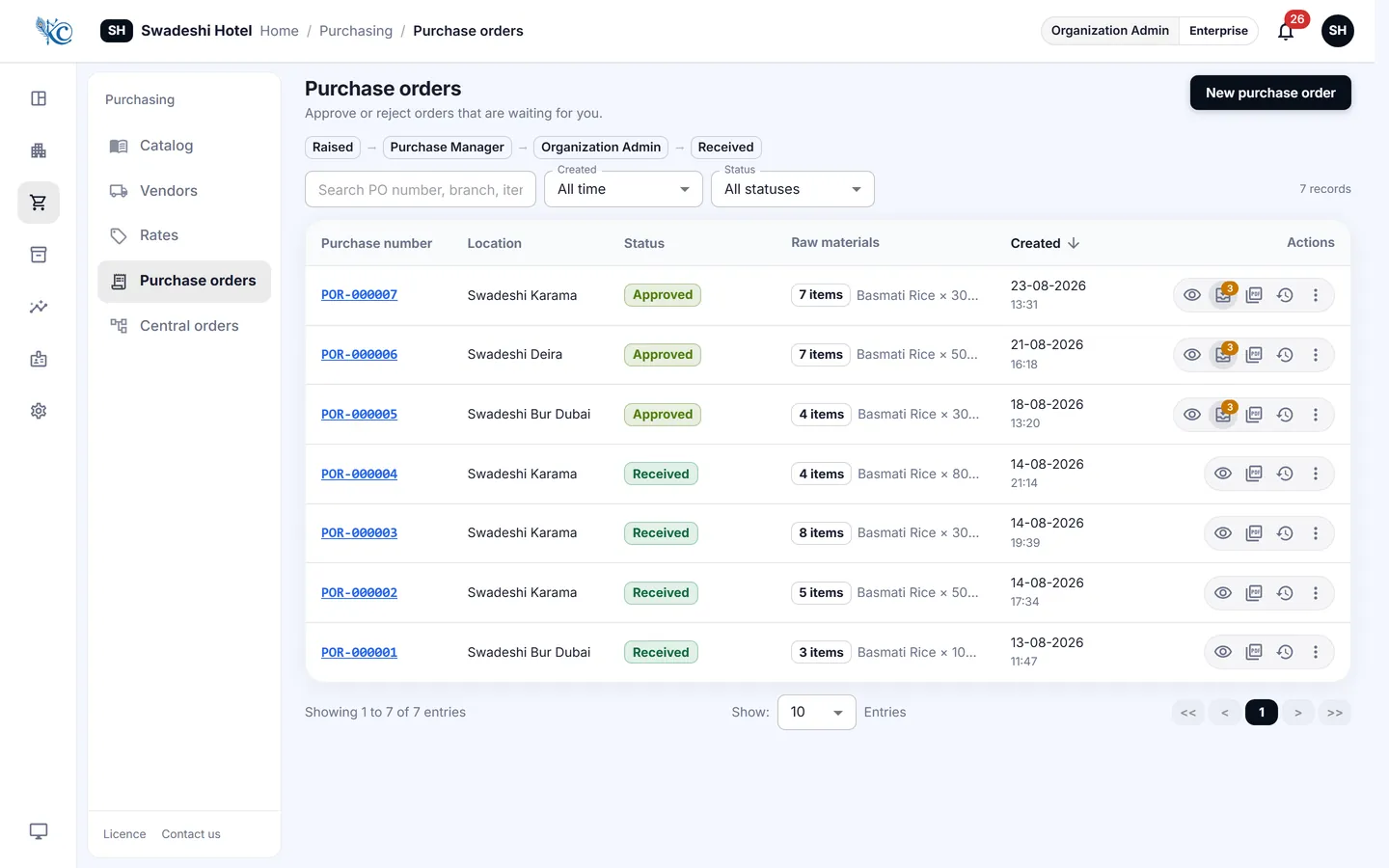
Purchase order screen comparing vendor rates line by line before approval

Every line priced against every vendor who quotes it, before anyone approves.

STEP 01

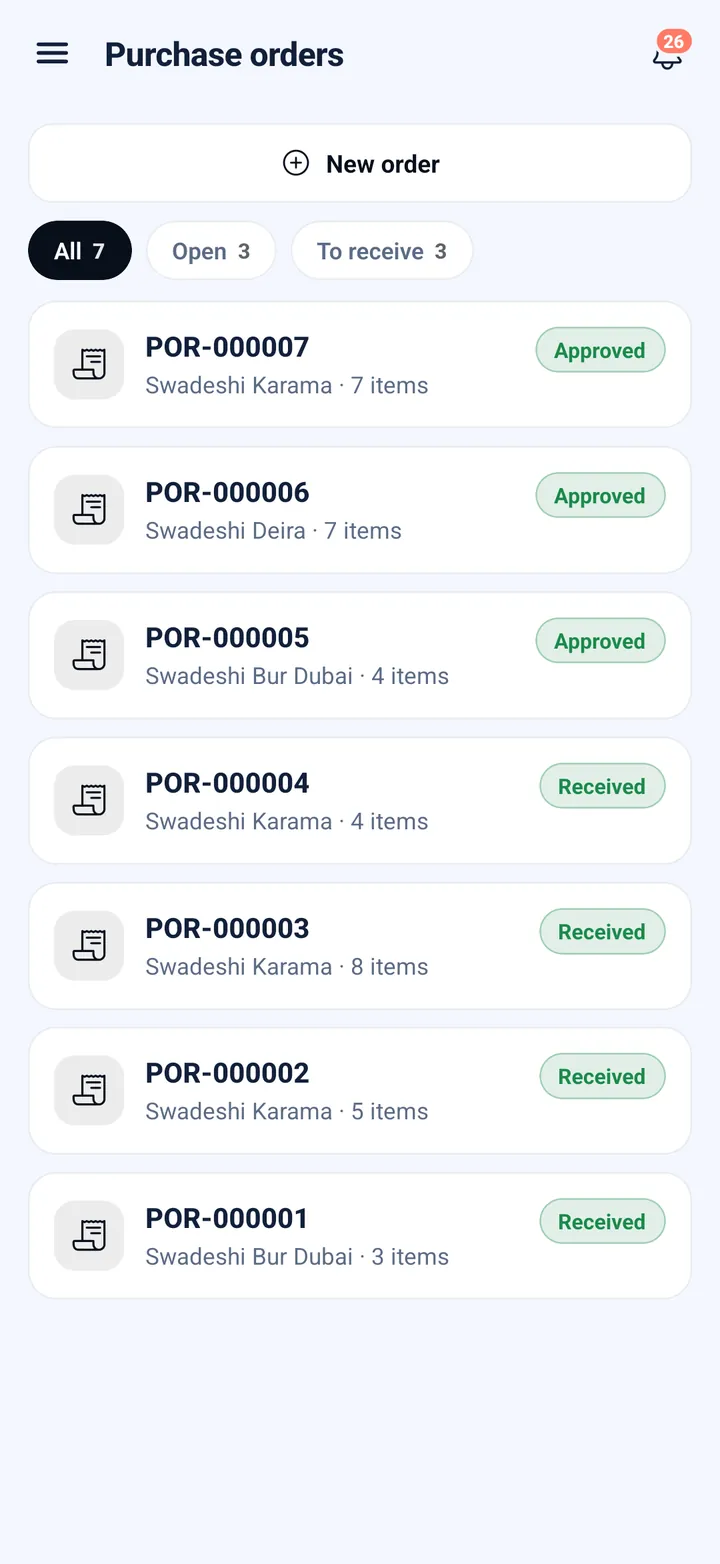
A branch asks for what it needs

From a phone in the store room, off your own catalogue in your own units. No WhatsApp group, no notebook, no ringing the office.

STEP 02

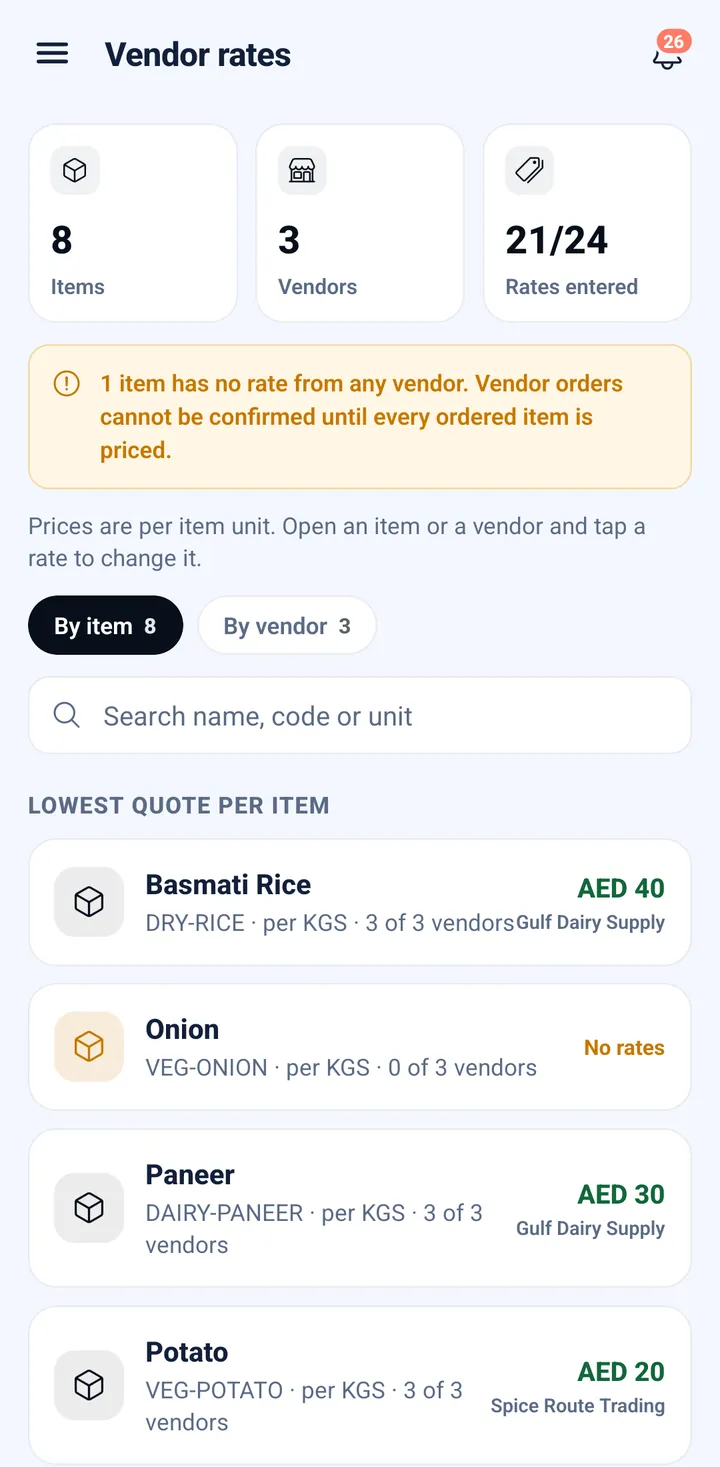
Every vendor's price, side by side

Rates are held per item, per vendor and per branch, and the order is priced against all of them before anybody commits โ€” then it goes to whoever owns that decision to approve.

STEP 03

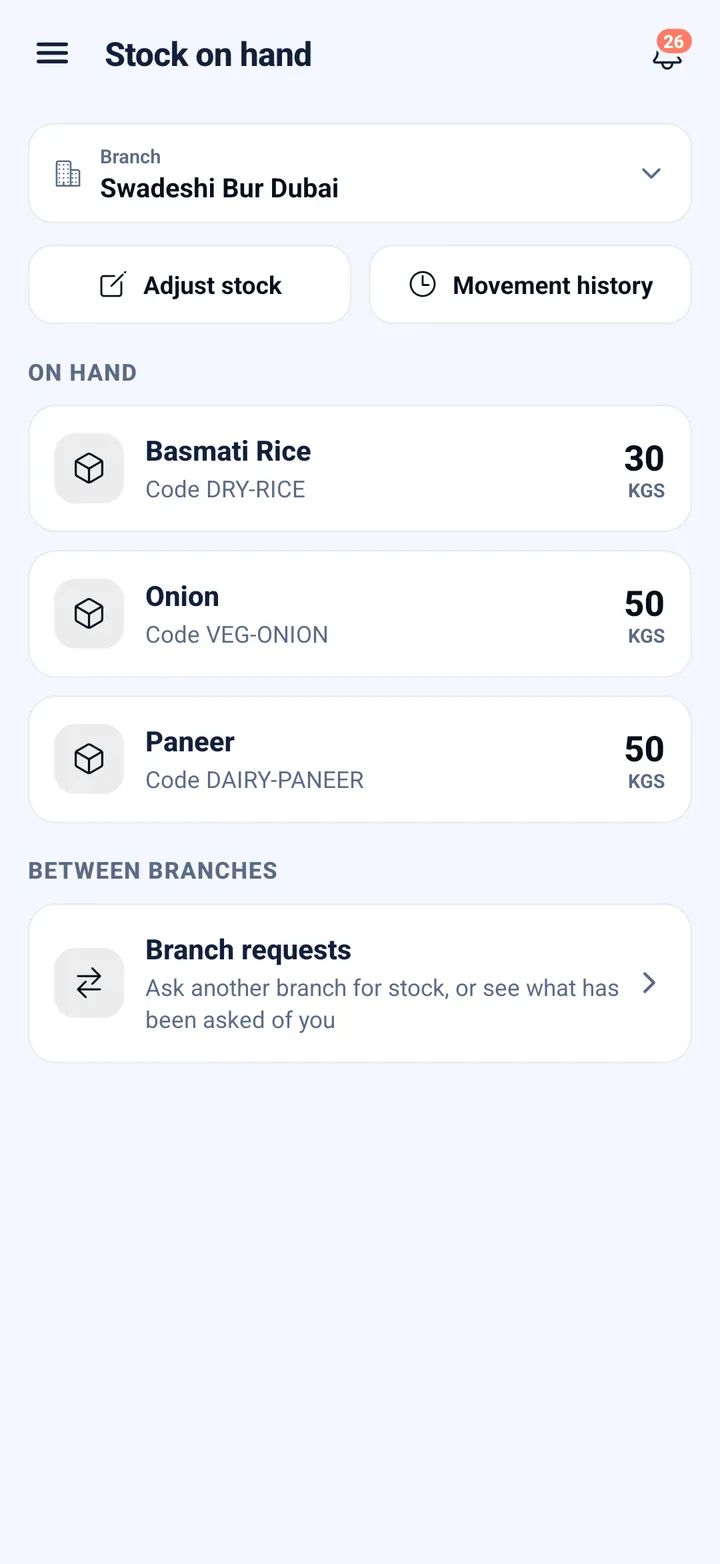
Stock moves the moment it is received

The delivery is checked in line by line against what was approved, signed and photographed at the door โ€” and the branch's stock on hand changes from that one entry, not from a spreadsheet somebody updates later.

STEP 04

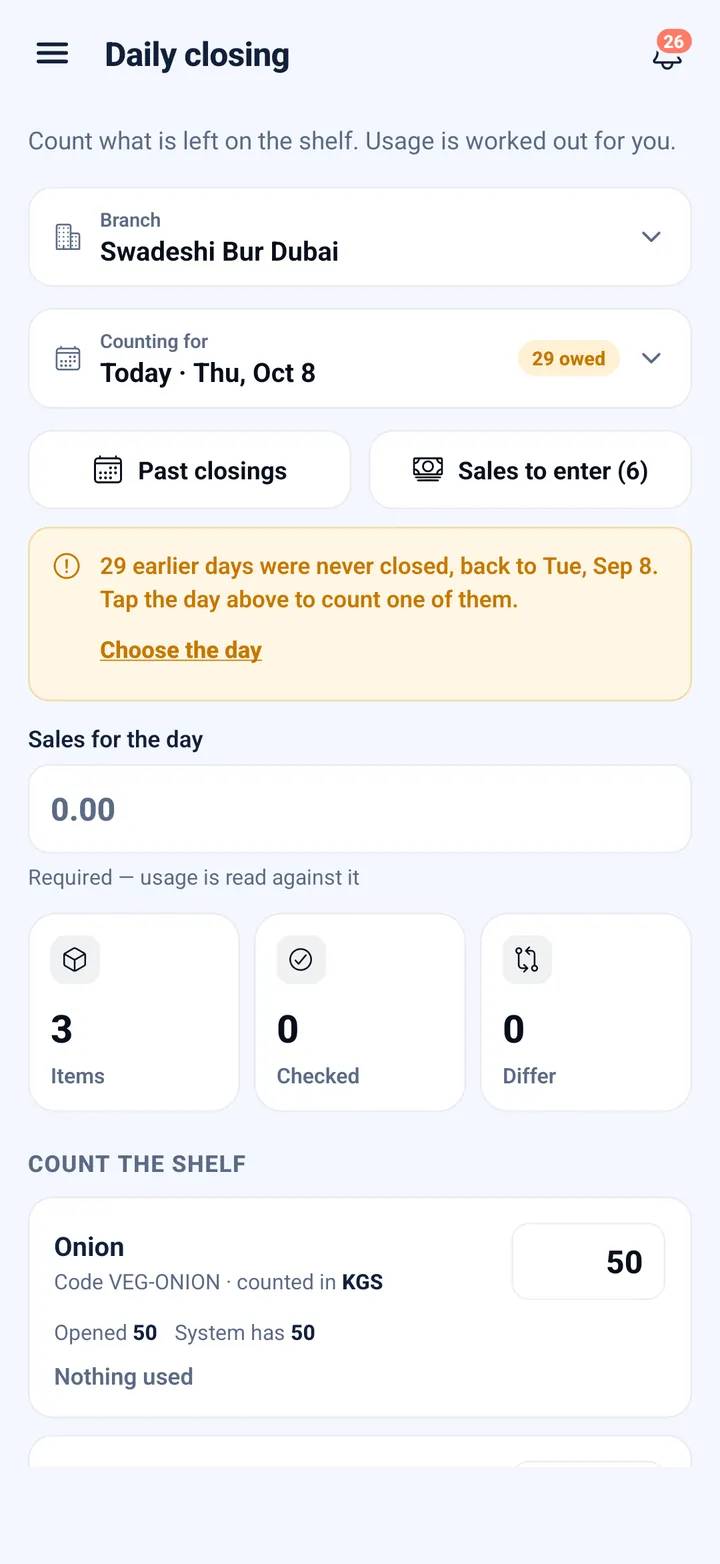
Count the shelf against what should be there

A count runs against the balance the system was already holding, so a variance appears as you count rather than as a surprise weeks later โ€” and every figure traces back to the order, the delivery and the person who signed for it.

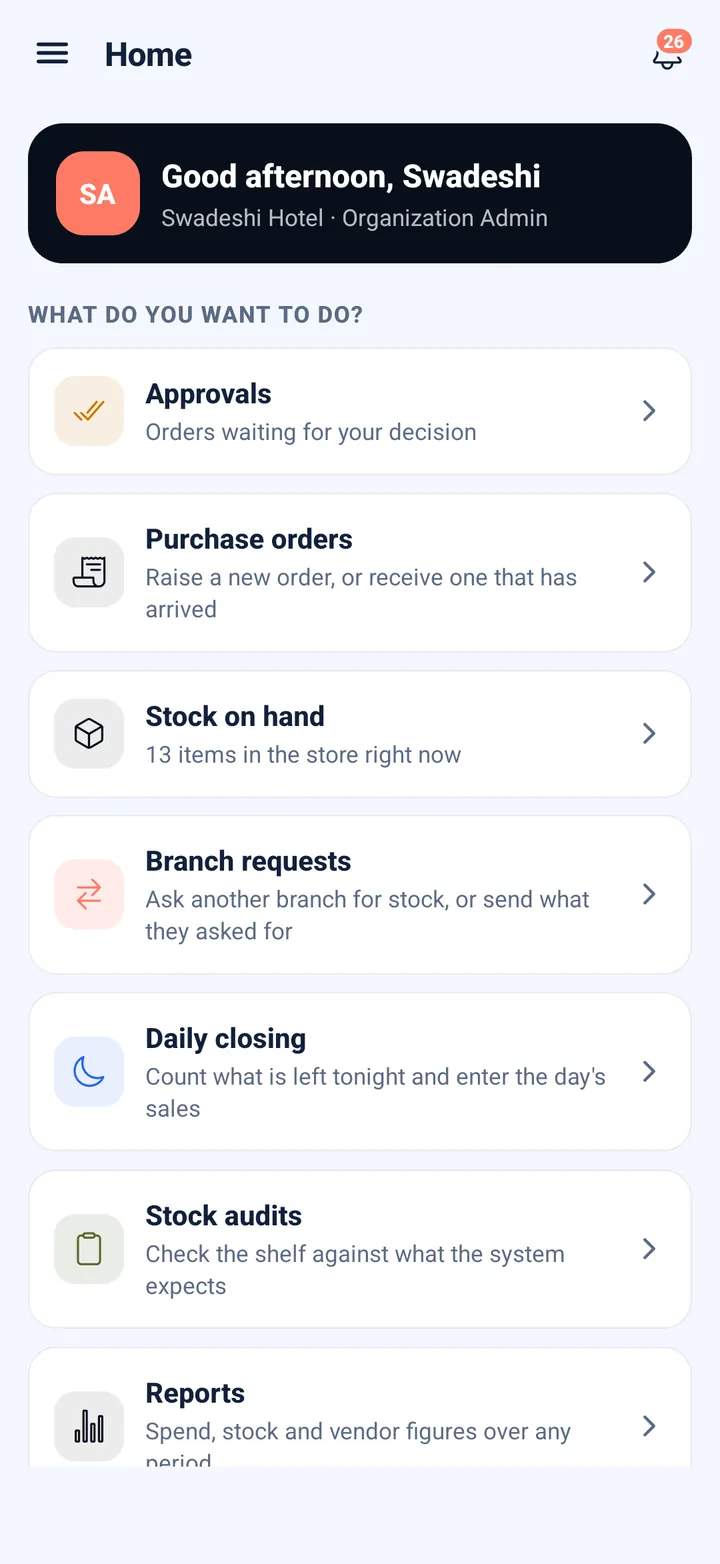
A branch raising a request on a phone Vendor rates per item and per branch, on a phone Stock on hand at a branch, updated by the receipt Counting stock against the expected balance

The phone app

Proof captured at the door, not remembered later

The moment a delivery is signed for is the moment most kitchens lose the thread. Everything below happens on an Android or iPhone, at the back door, in under a minute โ€” and it is the same record the office sees.

A photograph, taken there and then

The app opens the camera. It does not offer the photo library, so the picture cannot be one taken last week or sent over by somebody else โ€” it is what was at your door at that minute.

Who delivered it, and in what

The driver's name and the vehicle number are recorded against the receipt. When a short delivery has to be raised with a vendor, you can say which van it came on.

Both signatures, on the screen

The person handing over and the person receiving each sign with a finger. Neither side can later say the count was somebody else's word against theirs.

Checked against the approved order

Line by line, item by item, against what was actually approved โ€” so a shortfall is caught while the driver is still standing there rather than at month end.

It works without a signal

Cold rooms and basement stores have no reception. The receipt, the signatures and the photograph are held on the phone and upload themselves when the connection returns โ€” and the same delivery can never be recorded twice.

The same proof between branches

A transfer from one kitchen to another is signed and photographed at both ends, so stock that moves across town still belongs to somebody the whole way.

2

signatures on every handover, giver and receiver

0

photographs accepted from the gallery โ€” camera only

100%

of receipts checked against the approved order

Everything in one place

What Krushnay ERP covers

Purchasing & approvals

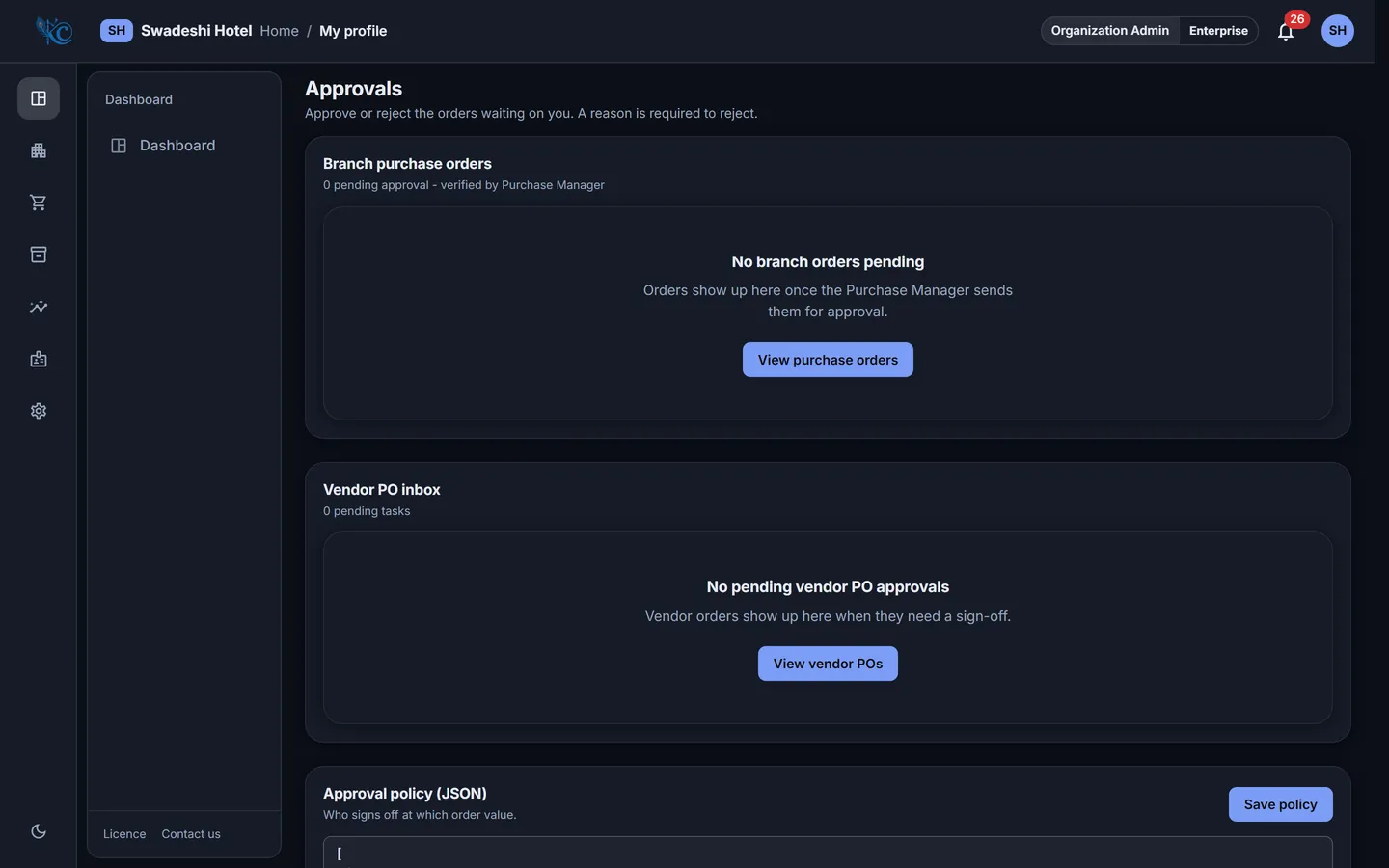
Indents, vendor rate comparison, multi-level approval, purchase orders sent as PDF over WhatsApp or email.

Stock & transfers

Live balances per branch, a full movement ledger, branch-to-branch requests, and transfers signed for at both ends.

Counts & daily closing

Scheduled stock counts against expected balances, and a daily closing that shows which branches have not closed.

People & payroll

Staff records, document expiry reminders for visas and permits, and a payroll register you can export.

Roles & audit trail

Permissions per role and per branch, and a permanent record of who changed what and when.

Multi-branch by design

Add a branch without a new installation. Every figure rolls up to the group and drills down to one kitchen.

Common questions

What owners ask on the first call

How does this actually reduce food cost?

By putting a price and an approval behind every purchase. Rates are held per item, per vendor and per branch; orders are compared before they are raised; and what a branch receives is checked against what was approved. The difference between what you bought and what you sold becomes a number you can look at, rather than a feeling at month end.

How long does it take to get going?

A single branch is usually running within a week: your catalogue and units, your vendors and their rates, your branches and who works in them. We set the workspace up with you rather than handing over an empty system.

Will my staff use it?

The jobs that happen away from a desk โ€” receiving, counting, transferring, approving โ€” are all on the phone app, in the language of the task rather than the language of accounting. If a screen needs training, treat that as our mistake.

What happens when the internet drops?

Work carries on. It is held on the device and uploaded when the connection returns, and the same delivery can never be recorded twice โ€” a repeated upload is recognised as the same action rather than a second one.

Do you support UAE and Indian businesses?

Both. The registrations a business actually holds differ by country โ€” a trade licence and TRN in the UAE, GSTIN and FSSAI in India โ€” so the forms ask for the ones that apply to you and nothing else.

See it against your own numbers

A demonstration takes half an hour. Bring one branch's purchase figures and we will show you what the system would have caught.

Book a demo Call 07227993344