
Features

Everything a back of house has to prove

Four areas of work, one record underneath them. Each screen exists because a real gap in a real kitchen made it necessary.

Purchasing & approvals

No order leaves without a price and a signature

The most expensive thing in a kitchen is a rate nobody agreed to. Purchasing here starts from what a branch needs and ends with a vendor holding a purchase order that somebody with authority approved.
  • Vendor rates per item, per branch. The same tomato can cost differently in two locations, and the system knows it.
  • Comparison before commitment. Every quoting vendor is priced against the order, so the cheapest is a fact rather than a habit.
  • No price, no order. An item with no agreed rate cannot be added — which is how unpriced items used to slip through.
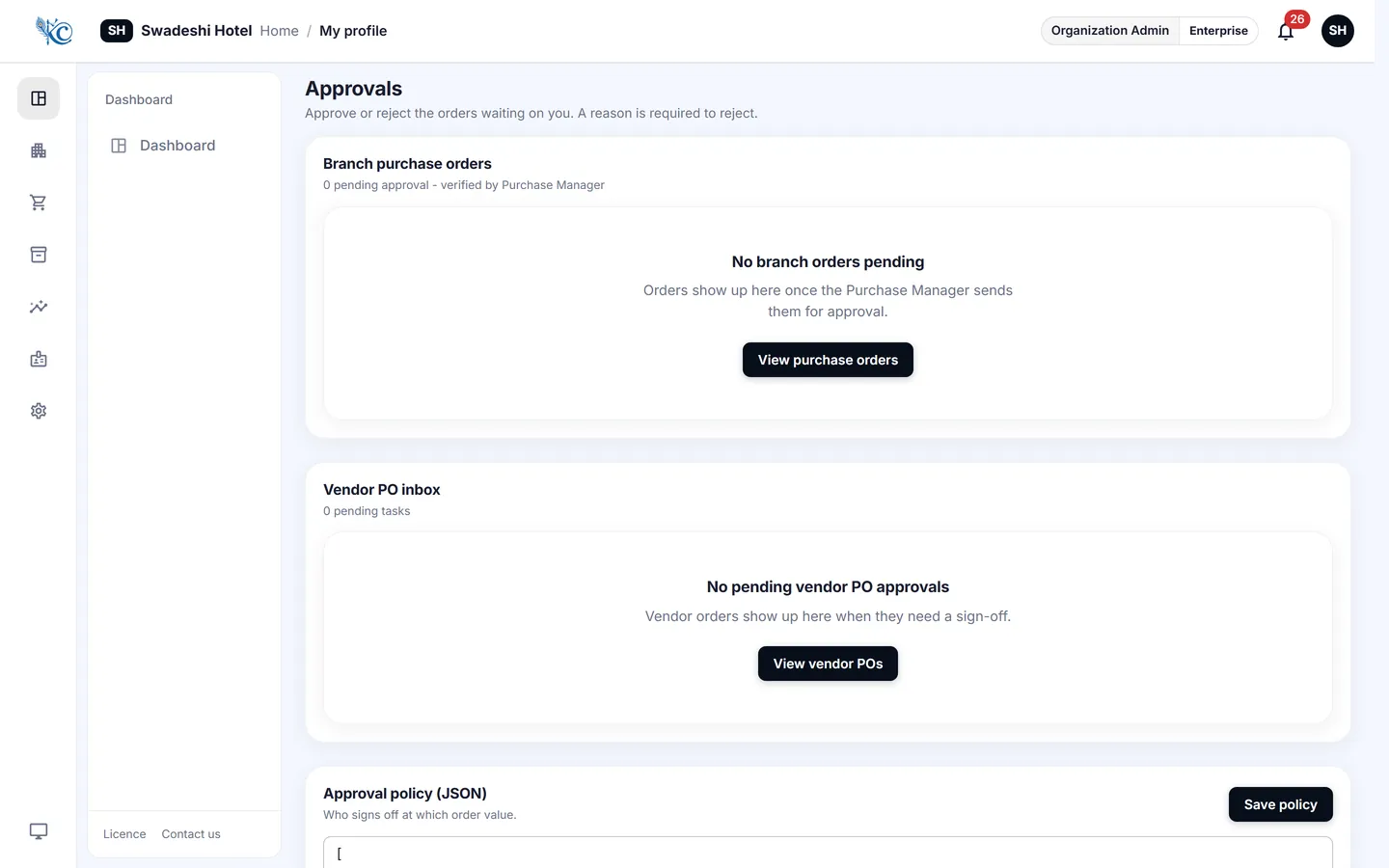
  • Approval levels that cannot be skipped. An order sits with the person who owns that decision until they make it.
  • The vendor gets a real document. A PDF with your logo, trade licence and terms, sent on WhatsApp or by email.
Approval inbox listing purchase orders awaiting a decision, with vendor and value

Approvals waiting on you, with the figures behind each one.
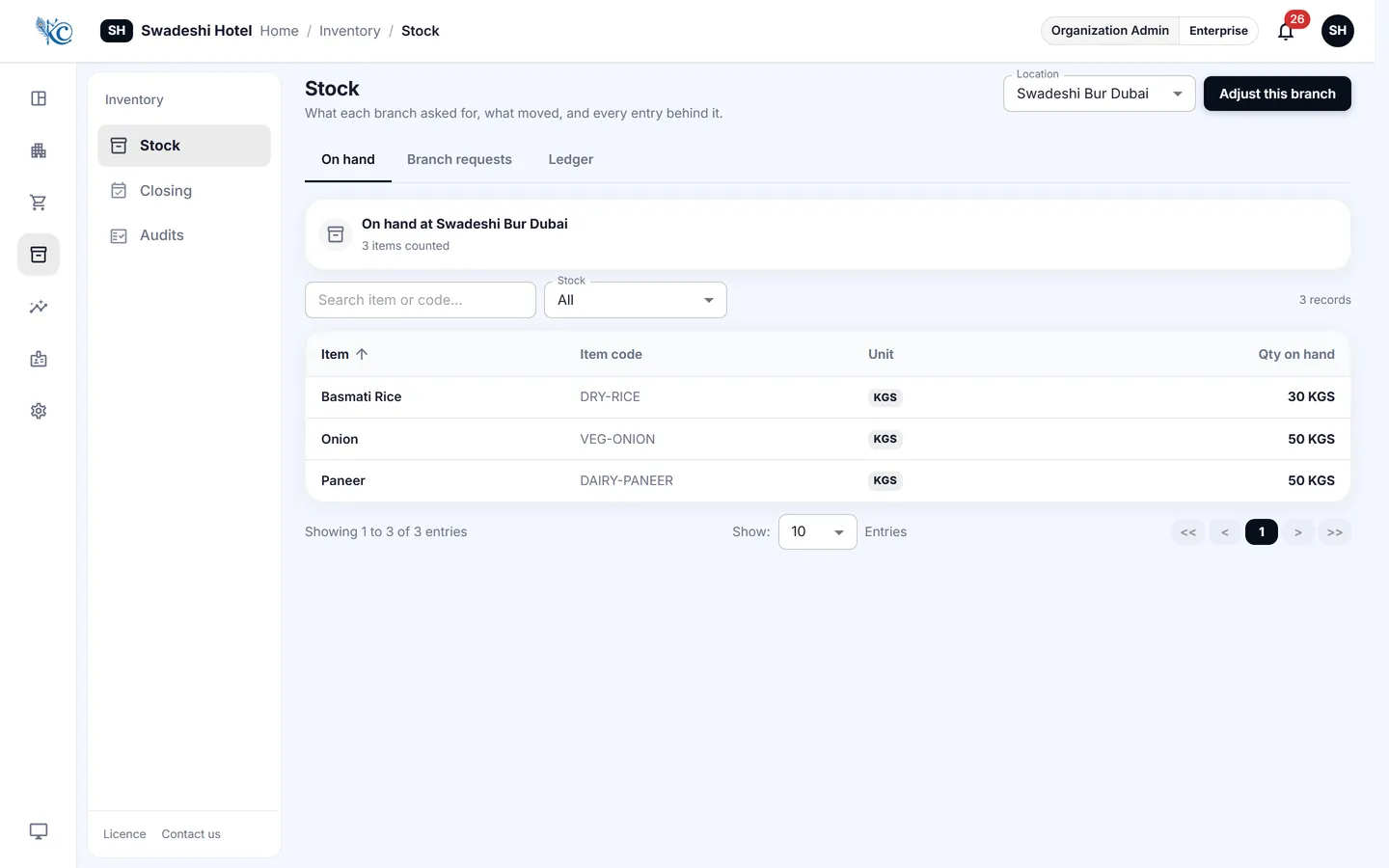
Stock on hand across branches with movement history for each item

Live balances per branch, and every movement behind them.

Stock & transfers

Stock that moves between branches still belongs to somebody

Informal transfers are where inventory quietly disappears — a case sent across town on a Friday and remembered by nobody on Monday. Here a transfer is a request, an approval and two signatures.

  • Branches request from branches. Raised on a phone, decided by the branch being asked.
  • Signed at both ends. The person handing over and the person receiving each sign on the screen with a finger.
  • Photographed by the camera, not the gallery. The app opens the camera directly, so the picture cannot be one taken last week — and the driver's name and vehicle number are recorded beside it.
  • Shortfalls are visible. If eight cases were sent and seven arrived, that difference has a name against it.
  • A full movement ledger. Every receipt, issue, transfer and adjustment, with who and when.

Counts & daily closing

A count is only useful if something expected it

Counting a shelf tells you what is on it. Counting it against what should be on it tells you what happened. Every count here runs against the balance the system was holding, so a variance is immediate and specific.
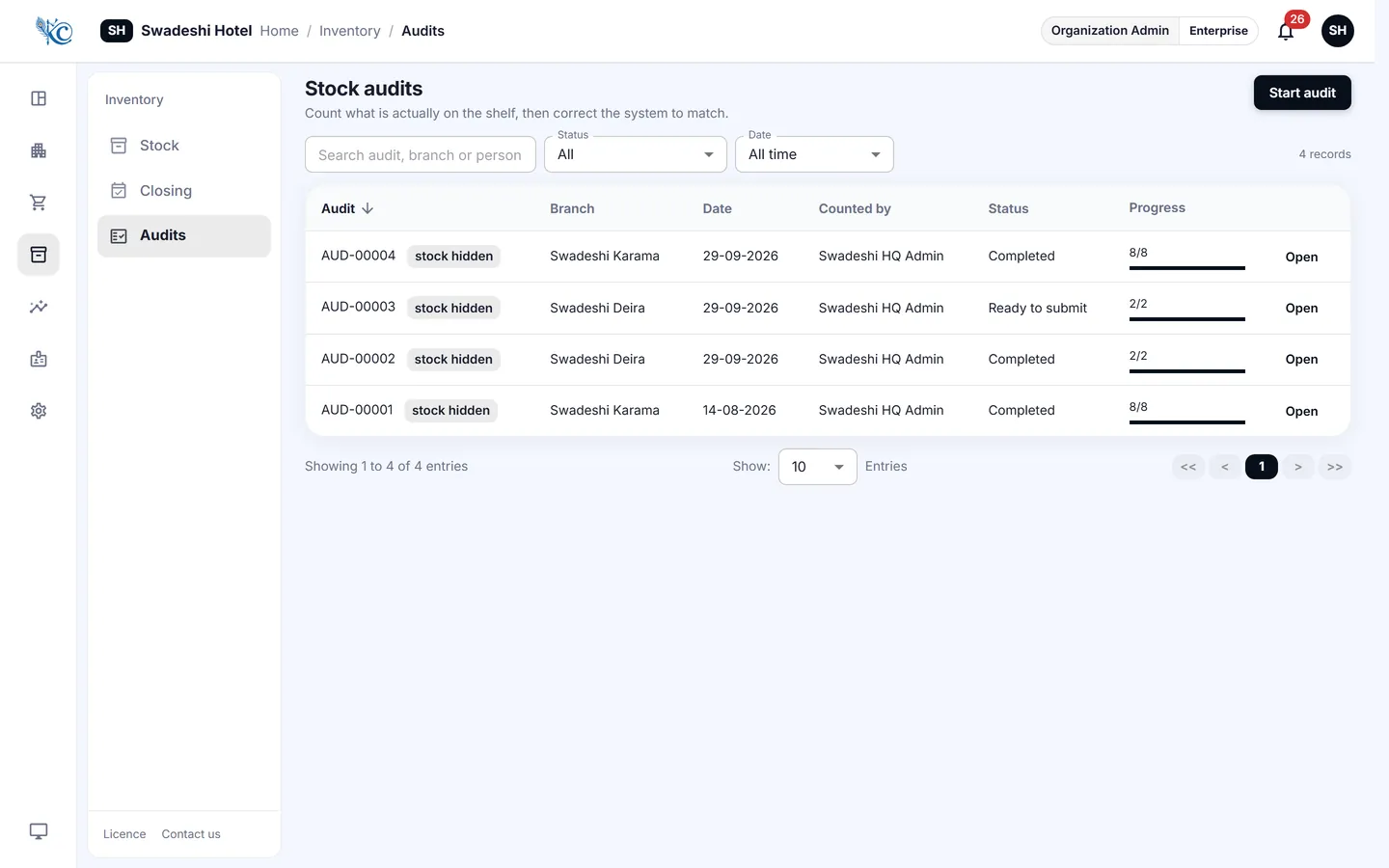
  • Counts on the phone, in the store room. Item by item, without paper to transcribe afterwards.
  • Variance against expected. Shown as you count, not discovered weeks later.
  • Daily closing per branch. Sales and closing stock recorded each day, with the branches that have not closed shown plainly.
  • Adjustments leave a trail. Every correction records who made it and why.
Stock count screen showing counted quantity against expected balance and the variance

Counted against expected, with the difference in front of you.

People & payroll

The paperwork that closes a kitchen if it lapses

A visa or a food handling permit that expires unnoticed is an operational problem, not an administrative one. Staff records here carry expiry dates and warn you before the date, not after it.

Documents with expiry dates

Visas, permits and licences held against each person, with reminders as the date approaches.

Payroll register

A monthly register per branch, exportable for whoever actually pays the salaries.

Roles and branch scope

A branch manager sees their branch. A group buyer sees all of them. Nobody sees figures their role has no business seeing.

Half an hour, your numbers

We will walk one of your branches through the system on the call — your items, your vendors, your rates.

Book a demo